The Kewl Platform
Your events are connected. Your systems should be too.
One platform for clients, events, BEOs, contracts, invoices, staffing, vendors, and ticketing. Built by operators who’ve run the room.
Every event you close teaches Kewl how your team works, so the next one is faster.
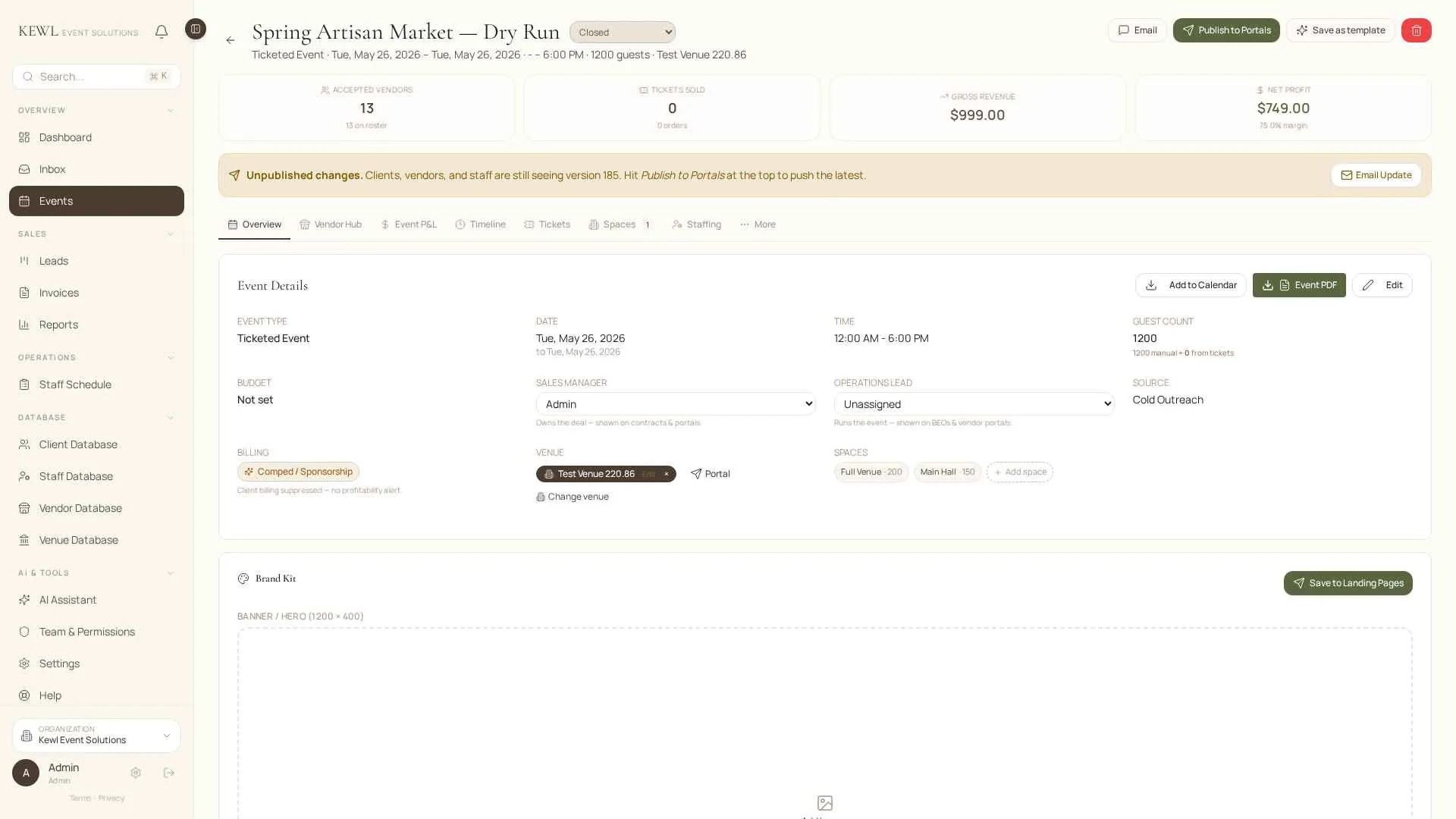
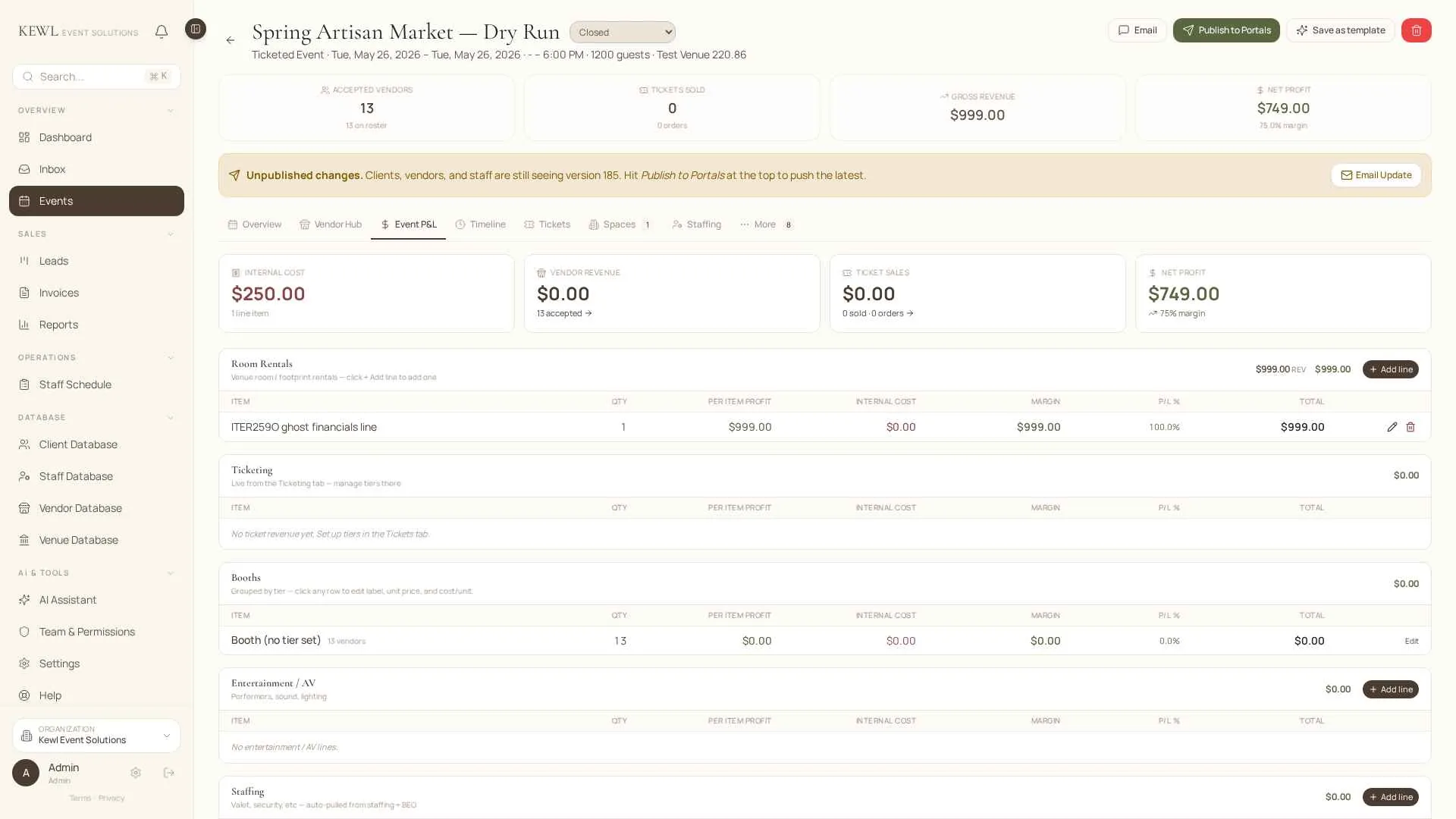
A real event workspace. Built from the field.
A Real Event Workspace
Built from the field.
See it in motion.
The Problem
The event is in one place.
The information is everywhere.
Clients live in your inbox. Staffing lives in a spreadsheet. Vendors are in a shared drive. The newest timeline is in a text thread.
Your team isn’t disorganized. The work has outgrown the tools holding it.
Kewl gives the whole event one home. Less searching. Less repeating. More running the work.

What Changes with Kewl
The platform gets to know
how you work.
Most software forces your team into someone else’s process. Kewl learns yours. Every event you run makes the next one sharper, faster, and less of a scramble.

TAILORED TO YOUR COMPANY
Your branding, your services, your venues, your rules. Kewl bends to fit your operation.
TAILORED TO EACH EVENT
Every event gets its own workspace. No forcing wildly different programs through the same template.
LEARNS FROM PAST EVENTS
Every closed event builds your playbook. Vendors, staffing, timelines. Ready to reuse.
AN OPERATIONS ASSISTANT BUILT IN
Missing info, unsigned contracts, unpaid invoices, approaching deadlines. Surfaced automatically. Nothing lives in one person’s head.
From Inquiry to Follow-up
Six steps.
One event record.
CAPTURE
Capture the Opportunity
Client, venue, date, next step. All in one click.
BUILD
Build the Event
Turn the inquiry into a full workspace with tasks, timelines, vendors, and staff.
SEND
Send and Collect
Proposals, contracts, BEOs, invoices, payments. Nothing retyped.
CONNECT
Connect the People
Clients, vendors, and staff each get their own portal. They see only what they need.
RUN
Run the Event
Timeline, staffing, vendors, and live updates from one screen.
CLOSE
Close Out and Reuse
Balances, expenses, follow-ups. All saved and ready for the next booking.
CAPTURE
Capture the Opportunity
Client, venue, date, next step. All in one click.
BUILD
Build the Event
Turn the inquiry into a full workspace with tasks, timelines, vendors, and staff.
SEND
Send and Collect
Proposals, contracts, BEOs, invoices, payments. Nothing retyped.
CONNECT
Connect the People
Clients, vendors, and staff each get their own portal. They see only what they need.
RUN
Run the Event
Timeline, staffing, vendors, and live updates from one screen.
CLOSE
Close Out and Reuse
Balances, expenses, follow-ups. All saved and ready for the next booking.
The Platform
Every tool your team uses.
Finally connected.

Event Workspaces
One command center per event. Details, tasks, timelines, files, staffing, vendors, communication, and financials.
BEOs & Documents
Create BEOs, proposals, contracts, invoices, and branded documents from information already in the event.
Staffing & Scheduling
Build roles and shifts, assign staff, track availability, share event info, and monitor labor costs.
Vendor Management
Assign vendors, collect documents, share requirements, and track load-in, arrival, and event-day details.
Contracts, Invoices & Payments
Send agreements, collect signatures, invoice, accept payments, and keep the financial side tied to the event.
CRM & Client Management
Track leads, clients, contacts, event history, and booking progress. When a lead becomes an event, the information moves with it.
Calendar, Tasks & Deadlines
See events, meetings, schedules, and deadlines across the organization at a glance.
Operations Visibility
See what is complete, what is missing, and what needs attention. No opening every event to find out.
Ticketing & Check-In
Create tickets, send confirmations, and scan attendees from a phone as the event happens.
Connected Portals
Give clients, vendors, and staff their own view.

